Shady Deals Game Guide
This guide covers the features, architecture, and configuration options specific to Shady Deals (shady-deals).
How the Mod Enhances Shady Deals
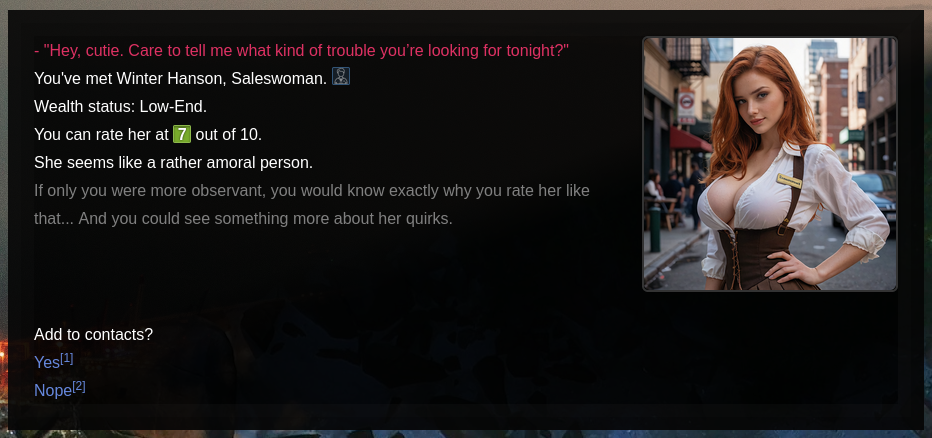
In Shady Deals, the mod seamlessly intercepts and replaces static NPC photo cards and dialogue avatars throughout the game with context-aware AI-generated portraits.
Generation Domains & Configuration
Shady Deals mod currenlty enhances only one domain: hireable NPC portraits.
You can adjust this setting at any time by clicking the gear icon (⚙️) located in the navigation menu / sidebar to open the Settings Modal. Supported modes:
* Automatic: Generates whenever the NPC photo is encountered in cards or dialog.
* Initial Only: Generates an AI portrait once upon first encountering the NPC, then reuses that image across all subsequent deals and dialogues without re-generating.
* Manual: Original photos remain until you explicitly click the refresh icon (🔄) on an NPC card.
* Disabled: Keeps the original game photos untouched.
Context & Archetype Detection
When crafting prompts for characters in Shady Deals, the mod inspects several game variables to produce an accurate representation:
- Character Identity & Metadata: The mod reads the character's internal name, role, and known visual identifiers.
- Visual Archetypes: Maps specific characters to tailored prompt archetypes (e.g. business suits, street clothes, specific ethnic traits, age groups, or aesthetic styles).
- Dialogue Context: Extracts surrounding scene descriptions and dialogue text to influence emotional expressions, eye contact, and scene mood.
Character Consistency Across Playthroughs
Because Shady Deals features a vibrant cast of recurring characters that appear frequently in deals, dialogues, and events, maintaining visual consistency is especially rewarding:
1. Locking Favorite Portraits (🔒)
When you generate an NPC portrait that matches how you imagine the character:
- Click the portrait to open the fullscreen lightbox.
- Click the Lock icon (
🔓) to switch it to locked (🔒). - That character will retain that exact visual for the rest of your playthrough.
2. Custom Image Uploads (📁)
If you have your own preferred photo or character art for a character in Shady Deals:
- Click the character's photo to open the lightbox.
- Click the Import icon (
📁). - Choose your image file. The portrait is immediately replaced and locked.
3. Adding Character Tags & LoRAs (🏷️)
To guide the AI towards a specific style or appearance for a character:
- Open the lightbox on the character.
- Click the Tag icon (
🏷️). - Enter descriptive tags (e.g.
mature businesswoman, sharp blue suit, slicked back hair, glasses). - Click Save. All future generations for this character will automatically incorporate these keywords.
Recommendations for Shady Deals
- Recommended Setup: Pair Basic JS or OpenRouter LLM with Perchance AI (free, zero-GPU) or Local SD WebUI (for offline play with custom photorealistic models).
- Prompt Style: Since Shady Deals characters are styled around realistic urban life and business personas, the Realistic Photo, Candid Photo, or Cinematic Film Still image styles (configured in the Prompt Generators tab) work exceptionally well.